
Introduction
A good pair of wireless earbuds can make working from home, joining Zoom meetings, and answering calls much easier. But not every pair that sounds great for music performs equally well when you turn on the microphone.
For work calls, clear voice pickup matters more than heavy bass or flashy features. You also need comfortable earbuds, a reliable Bluetooth connection, and enough battery life to get through your meetings.
The good news is that you do not have to spend $200 to find a useful pair.
In this guide, we compare eight wireless earbuds under $100, focusing on microphone quality, noise cancellation, comfort, multipoint connectivity, and overall value.
Our selections are based on published product reviews, Reddit discussions, and manufacturer specifications. These earbuds were not personally tested for this article.
Whether you work from home, take calls during your commute, or need affordable earbuds for occasional meetings, this guide will help you narrow down your options.
Quick Picks at a Glance
Do not have time to read every review? Start with these recommendations.
- Best for work calls: Jabra Elite 4, a call-focused option with a six-microphone array and wind noise reduction.
- Best for noise cancellation: Soundcore Liberty 4 NC, a strong choice for people who want effective ANC without spending over $100.
- Best affordable microphone pick: EarFun Air Pro 3, with an ENC microphone system and multipoint connectivity.
- Best for commuting: Soundcore Space A40, offering a practical balance of ANC, battery life, and fit.
- Best for sound features: Nothing Ear (3a), with LDAC support, 12mm drivers, and adaptive ANC.
- Best for noisy home offices: Soundcore Life P3, featuring a six-microphone ENC system.
- Best ultra-budget option: Soundcore P20i, a straightforward choice for everyday listening and occasional calls.
- Best value with smart controls: CMF Buds Pro 2, featuring a distinctive Smart Dial charging case.
Our overall recommendation for someone who spends a lot of time on calls is the Jabra Elite 4. If background noise is your bigger concern, the Soundcore Liberty 4 NC deserves a closer look.
Wireless Earbuds Under $100: Comparison Table
| Wireless earbuds | Best for | Main features | Research price tier | Amazon |
|---|---|---|---|---|
| Jabra Elite 4 | Work calls | 6-mic array, wind noise reduction | Around $80 | Check price on Amazon |
| Soundcore Liberty 4 NC | Noise cancellation | Strong ANC, wireless charging | Around $80-$100 | Check price on Amazon |
| EarFun Air Pro 3 | Affordable mic quality | ENC mic array, multipoint | Around $49-$55 | Check price on Amazon |
| Soundcore Space A40 | Commuting | ANC, battery life, comfortable fit | Around $59-$65 | Check price on Amazon |
| Nothing Ear (3a) | Music and calls | 12mm drivers, LDAC, adaptive ANC | Under $100 | Check price on Amazon |
| Soundcore Life P3 | Home office | 6-mic ENC array | Around $39 | Check price on Amazon |
| Soundcore P20i | Tight budgets | Simple everyday wireless listening | Around $30-$50 | Check price on Amazon |
| CMF Buds Pro 2 | Features and value | Smart Dial case, ANC | Around $69 | Check price on Amazon |
Prices are approximate research figures from October 2026, not live store quotes. Prices and availability are subject to change. Check the current product listing before buying.
Detailed Picks: 8 Best Wireless Earbuds for Work Calls
1. Jabra Elite 4: Best Overall for Work Calls
If your workday includes frequent phone calls, online meetings, and conversations on the move, the Jabra Elite 4 is a sensible place to start. Its call-focused design uses a six-microphone array designed to help capture your voice during conversations, and wind noise reduction is useful when you take calls outdoors or walk between locations.
What we like: Six-microphone call system; wind noise reduction; call-focused feature set; a practical option for frequent conversations.
What to consider: The microphone features do not guarantee perfect voice quality in every environment. Loud traffic, strong wind, and Bluetooth connection conditions can still affect calls.
Best suited for: Remote workers, professionals, and people who take frequent calls. Approximate price: Around $80.
Our verdict: Choose the Jabra Elite 4 if clear communication matters more to you than getting the longest possible feature list.
2. Soundcore Liberty 4 NC: Best for Noise Cancellation
The Soundcore Liberty 4 NC is a strong option if your biggest problem is distracting background noise. It is especially notable for offering strong ANC in the under-$100 category, and it also supports wireless charging, which is convenient when you want to place the case on a compatible charging pad instead of connecting a cable.
Remember that ANC mainly helps you hear better. It does not automatically mean the other person will hear your voice more clearly. For that, microphone noise reduction is important.
What we like: Strong ANC for its price category; wireless charging; useful for commuting and shared spaces; suitable for both music and calls.
What to consider: At approximately $80 to $100, it sits near the upper end of this guide’s budget.
Best suited for: People who want effective noise cancellation for work, travel, and everyday listening. Approximate price: Around $80-$100.
Our verdict: Pick the Liberty 4 NC when noise cancellation is a higher priority than finding the cheapest earbuds.
3. EarFun Air Pro 3: Best Affordable Earbuds for Microphone Features
The EarFun Air Pro 3 is an interesting option for anyone looking for good microphone features without spending close to $100. Its two main selling points for work are an ENC microphone array and multipoint Bluetooth connectivity. ENC, or environmental noise cancellation, is designed to help reduce unwanted background noise captured during calls.
Multipoint is equally useful. Imagine listening to something on your laptop when an important call comes through on your phone. With compatible multipoint earbuds, you can keep both devices connected and switch between them more easily.
What we like: ENC microphone array; multipoint Bluetooth support; useful features for laptop and phone users; competitive price for a work-focused setup.
What to consider: ENC performance depends on the type and volume of background noise. No microphone system can remove every distracting sound.
Best suited for: Budget-conscious remote workers who switch between a laptop and smartphone. Approximate price: Around $49-$55.
Our verdict: The EarFun Air Pro 3 deserves serious consideration if you want microphone noise reduction and multipoint without paying a premium.
4. Soundcore Space A40: Best Balanced Option for Commuters
The Soundcore Space A40 is a good match for people who use the same earbuds throughout the day. You might listen to music while traveling, join a meeting at work, and answer calls on your way home. It stands out for its combination of active noise cancellation, battery-focused design, and fit.
What we like: Balanced feature set; active noise cancellation; battery-focused design; comfortable-fit appeal for daily use.
What to consider: If microphone performance is your single biggest priority, compare call recordings and independent microphone reviews before choosing it over a more call-focused model.
Best suited for: Commuters and everyday users who want one pair for work, travel, and music. Approximate price: Around $59-$65.
Our verdict: A sensible middle-ground choice for people who care about comfort, battery life, and ANC together.
5. Nothing Ear (3a): Best for Sound Features and Modern Design
The Nothing Ear (3a) is a feature-rich option for shoppers who want earbuds that handle music and everyday calls. According to the research specifications used for this guide, it has 12mm drivers, LDAC support, and adaptive active noise cancellation of up to 45dB. Its battery specifications are also attractive, with up to 10 hours per charge when ANC is off and up to 42 hours when using the charging case. These are stated maximum figures. Actual battery life can change with volume, codec, call usage, and noise cancellation settings.
LDAC can support higher-bitrate Bluetooth audio when used with compatible devices. However, codec support alone does not guarantee better sound quality, and LDAC is not a substitute for a good microphone during calls. There is one important trade-off: this model does not offer wireless charging.
What we like: 12mm drivers; LDAC support; adaptive ANC rated up to 45dB; up to 10 hours per charge with ANC off; up to 42 hours including the case.
What to consider: No wireless charging; maximum battery figures depend on usage; high-quality music codecs do not necessarily improve Bluetooth call quality.
Best suited for: Users who want music-oriented features alongside everyday work-call functionality. Research price tier: Under $100.
Our verdict: Consider it if audio features and battery specifications are important to you, but do not choose it based on LDAC alone if your main concern is microphone performance.
6. Soundcore Life P3: Best for a Noisy Home Office
Working from home sounds peaceful until someone starts vacuuming, the television turns on, or the family gathers in the next room. The Soundcore Life P3 is worth looking at if these situations are familiar. It has a six-microphone ENC array designed to reduce unwanted background noise during calls.
What we like: Six-microphone ENC array; designed with call noise reduction in mind; budget-friendly research price; practical for everyday meetings.
What to consider: Heavy background conversations and sudden loud noises can still make your voice difficult to hear.
Best suited for: Home-office users who want affordable earbuds with call-focused noise reduction. Approximate price: Around $39.
Our verdict: The Life P3 is a reasonable lower-cost option for home meetings when microphone noise reduction is on your checklist.
7. Soundcore P20i: Best Ultra-Budget Wireless Earbuds
Not everyone needs advanced ANC, high-resolution audio codecs, or complicated settings. If you mainly want wireless earbuds for occasional calls, podcasts, and casual music listening, the Soundcore P20i is worth considering. Its biggest attraction is simplicity at a relatively low price.
What we like: Low-cost entry point; straightforward everyday use; suitable for casual listening; no need to pay for premium features you may not use.
What to consider: It is not our first recommendation for demanding professional calls or regularly noisy environments.
Best suited for: Students, casual callers, and shoppers with a tight budget. Approximate price: Around $30-$50.
Our verdict: A practical choice when affordability matters most and you only need basic everyday wireless earbuds.
8. CMF Buds Pro 2: Best Value with Smart Controls
The CMF Buds Pro 2 takes a slightly different approach to budget wireless earbuds. One of its most recognizable features is the Smart Dial built into the charging case. The Buds Pro 2 also offers ANC, making it an appealing option for people who want more features at a moderate price. The Smart Dial is a convenience feature, though. It should not be mistaken for evidence of better microphone performance.
What we like: Distinctive Smart Dial case; active noise cancellation; feature-focused design; good overall value proposition.
What to consider: If calls are your main priority, independent microphone comparisons matter more than the case controls.
Best suited for: Buyers who want affordable earbuds with ANC and a distinctive user experience. Approximate price: Around $69.
Our verdict: A compelling value-oriented alternative if you want useful listening features and a different approach to controls.
How to Choose the Best Earbuds for Work Calls
Choosing earbuds for meetings is different from choosing them for music. You need to think about how clearly other people can hear you, how easily you can switch devices, and whether the earbuds remain comfortable. Here are four important rules.
1. Understand ENC vs. ANC
These two features sound similar, but they serve different purposes.
| Feature | Main purpose | Why it matters for work |
|---|---|---|
| ENC (Environmental Noise Cancellation) | Reduces unwanted sounds picked up by the microphone | Helps people on the call hear your voice more clearly |
| ANC (Active Noise Cancellation) | Reduces external sounds reaching your ears | Helps you hear the meeting with fewer distractions |
If you regularly speak from a noisy room, microphone noise reduction should be a priority. If you mainly struggle to hear other people because of traffic or office noise, ANC may be more useful. Ideally, look for earbuds that address both needs. Also, remember that manufacturers may use different names for microphone noise-reduction technology. Check independent call samples instead of relying only on labels.

2. Choose Multipoint If You Use Two Devices
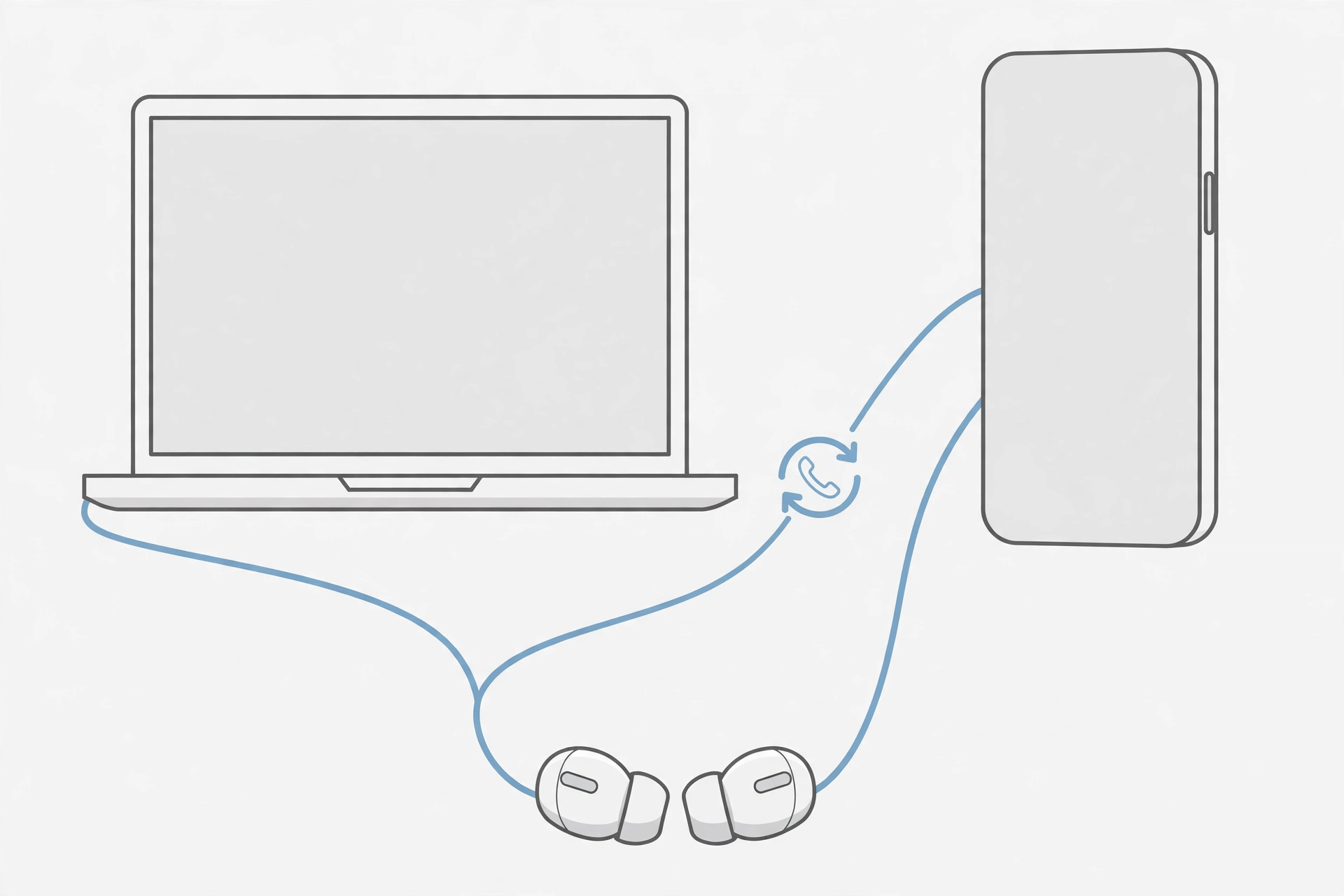
Multipoint Bluetooth allows compatible earbuds to maintain connections with two devices, such as a laptop and smartphone. For example, you are listening to a meeting recording on your laptop, your phone receives a call, and your earbuds can switch audio between the connected devices without requiring you to repair them.
This is helpful for remote workers who regularly move between phone calls and computer meetings. However, multipoint does not mean you can hear two audio sources at the same time. Switching behavior also varies by device and app. If you use Zoom, Microsoft Teams, or Google Meet, check compatibility with your computer and meeting software before buying.
3. Expect Bluetooth Audio Quality to Change During Calls
Have you ever noticed that your music sounds different when you turn on your earbuds’ microphone during a computer call? This can happen because Bluetooth devices often switch from a higher-quality music playback mode to a hands-free call mode when the microphone becomes active. The hands-free mode supports two-way communication, but it can reduce the audio quality you hear. This is especially noticeable on some Windows setups. It does not automatically mean your earbuds are faulty.
If call audio quality is important, check how the earbuds behave with your actual laptop, operating system, and meeting app. For long professional calls, a dedicated USB headset may sometimes be a better choice than Bluetooth earbuds.
4. Never Ignore Fit
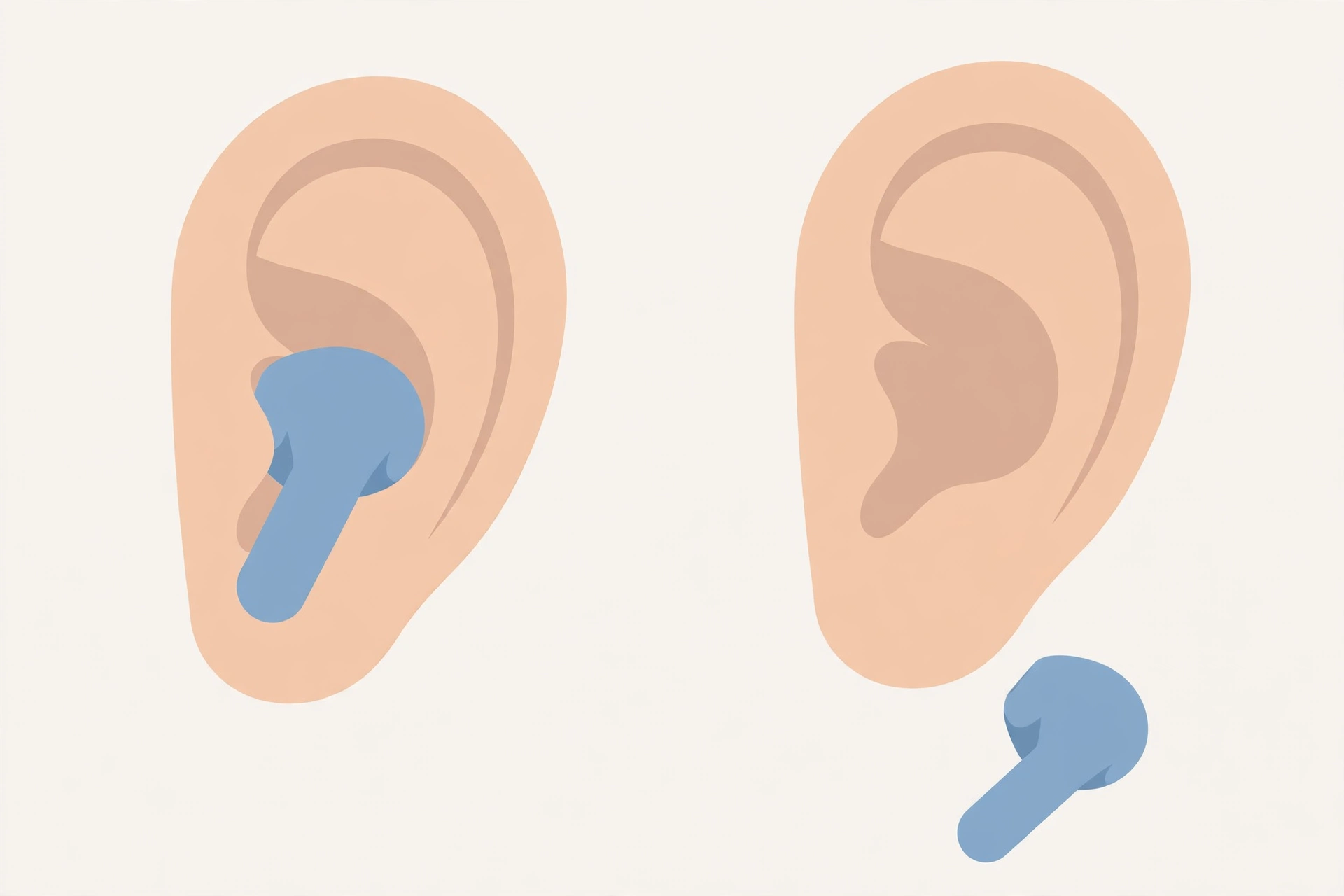
Fit affects more than comfort. Earbuds that sit securely in your ears can maintain a better seal, which helps passive noise isolation and can improve the effectiveness of ANC. A stable fit also helps keep the microphone position more consistent. Loose earbuds may move while you speak, which can change how your voice is picked up. However, a tight seal alone does not guarantee better microphone quality.
Before making a final decision, consider whether the earbuds include ear tips that suit your ears. If possible, choose a retailer with a suitable return policy, since comfort is personal.
Other Features Worth Checking
Battery life: Look at the stated battery life during calls, not just music playback. These figures can differ.
Charging: Wireless charging is convenient, but it is not essential if you normally charge using USB.
Controls: Easy-to-use controls can help you manage calls without repeatedly reaching for your phone.
Compatibility: Make sure your chosen earbuds work with the devices and meeting apps you use most often.
Budget: Do not assume that spending more automatically gives you a better microphone.
If you would rather use an over-ear headset for long work sessions, see our guide to Best Headphones Under $200.
You can also improve your home-office setup by choosing supportive seating. Our Best Office Chairs for Long Hours Under $300 guide covers affordable options for people who spend much of the day at a desk.
Frequently Asked Questions
What are the best wireless earbuds under $100 for work calls?
The Jabra Elite 4 is our overall recommendation because of its six-microphone array and wind noise reduction features. The EarFun Air Pro 3 is another useful option if you want an ENC microphone system and multipoint connectivity at a lower price. Neither recommendation guarantees the best microphone performance in every environment. Check independent call recordings for the conditions you expect to use them in.
Are wireless earbuds good for Zoom meetings?
Yes. Wireless earbuds can work well for Zoom meetings, particularly when they have a stable Bluetooth connection, a useful microphone system, and a comfortable fit. Before an important meeting, test the microphone and speaker settings in Zoom. This helps you catch connection or device-selection problems early.
Which affordable earbuds have the best microphone features?
The Jabra Elite 4, EarFun Air Pro 3, and Soundcore Life P3 are worth comparing for their call-related microphone features. The Jabra Elite 4 uses a six-microphone array with wind noise reduction. The EarFun Air Pro 3 offers an ENC microphone array, while the Life P3 has a six-microphone ENC system. Microphone specifications are useful starting points, but real call quality depends on more than microphone count.
Do I need ANC for work calls?
Not necessarily. ANC is most helpful when you want to reduce the surrounding noise you hear. If your main concern is preventing background sounds from reaching other people, prioritize microphone noise reduction. Many users benefit from having both technologies, but neither is essential in every environment.
What are multipoint earbuds, and are they worth it?
Multipoint earbuds can stay connected to two compatible devices at once. They are especially useful if you take calls on your phone while working on a laptop. If you use only one device throughout the day, multipoint is less important.
Can budget wireless earbuds work well for conference calls?
Yes. Budget earbuds can be suitable for conference calls, particularly in quiet environments. The EarFun Air Pro 3 and Soundcore Life P3 are worth considering because of their microphone noise-reduction features. For frequent client meetings or calls in unpredictable environments, compare independent microphone samples before choosing.
Why does my Bluetooth audio sound worse when I turn on the microphone?
Many Bluetooth earbuds use a different audio mode during two-way calls. This hands-free mode allows the microphone and speakers to work together, but it may reduce playback sound quality compared with normal music listening. The behavior depends on the device, operating system, and Bluetooth features.
Are $50 earbuds good enough for working from home?
They can be. If you work in a relatively quiet room and take occasional meetings, an affordable pair may meet your needs. Models such as the EarFun Air Pro 3 and Soundcore Life P3 show why it is worth comparing features rather than assuming that every useful work-call option must cost close to $100.
Final Thoughts
The best wireless earbuds for work calls are not necessarily the ones with the most features or the highest price. What matters is how well they fit your working environment.
If you spend a large part of your day talking to clients or colleagues, start with the Jabra Elite 4 for its call-focused microphone features. If you need stronger noise cancellation while traveling or working around distractions, consider the Soundcore Liberty 4 NC.
The EarFun Air Pro 3 is a particularly interesting lower-cost choice thanks to its ENC microphone array and multipoint support. For a balanced everyday option, the Soundcore Space A40 deserves consideration. If your budget is very tight, the Soundcore P20i offers a simpler alternative.
Before buying, think about where you usually take calls, which devices you use, and how long you wear earbuds each day. Most importantly, check recent independent microphone samples and the latest product listing. The best choice is the pair that keeps conversations clear, fits comfortably, and works reliably with your daily setup.
Prices and availability are subject to change.
