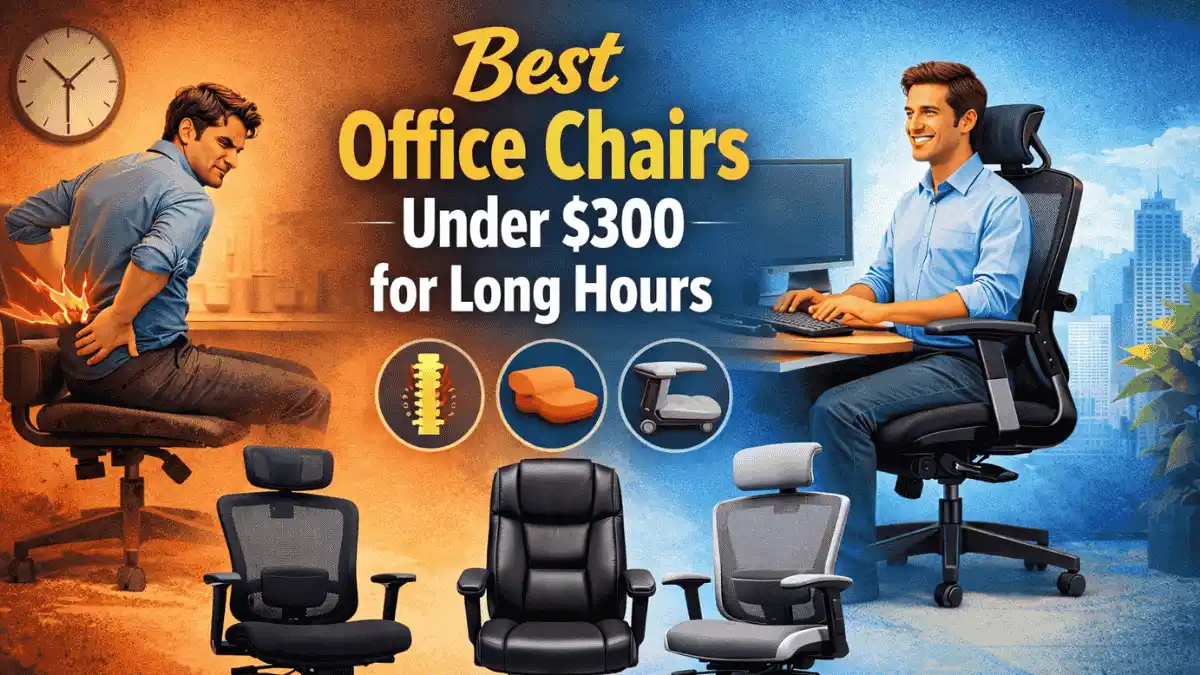
Imagine this: Your next chair can add hours of painless focus. According to the Occupational Safety and Health Administration, over 20% of the U.S. workforce suffers from back pain related to prolonged sitting. You’re deep into another work-from-home day, hunched over your keyboard for hours. You barely notice the time passing until you attempt to rise from your seat. Pain shoots through your lower back. Your hips protest, and your tailbone aches.
Standing up, you sense a wave of malaise, as if your age has doubled since the morning. This scenario is all too familiar for many, as sitting for extended periods has become the norm, whether it’s for work, gaming, studying, or attending meetings. End-of-day back pain is a common struggle for those spending hours at their desks.
Many people search for a chair and feel shocked. Prices rise fast. Some chairs cost more than a laptop. That leads to one obvious question. Can you really get a good office chair under $300 that works for long hours?
The short answer is yes. But not every chair in this price range works for everyone. Some chairs look good but fail after months. Others feel fine at first but hurt later.
This guide steers you away from costly mistakes.
In this article, you will learn how to find the best office chairs under $300 for long hours of sitting. We will cover what features truly matter, which ones you can disregard, and identify chairs that accommodate different body types and address pain issues.
If you sit for many hours daily, this matters more than you think.
Why Sitting Long Hours Needs a Different Chair
Sitting is not a natural posture for the human body. When you sit for extended periods, it is akin to compressing a spring. This compression leads to a buildup of pressure in specific areas, much like the tension stored in a compressed spring. Over time, this can cause strain and discomfort. These forces primarily affect:
- Lower back and spine – compression from sitting can cause disc pressure and potential misalignment, leading to pain.
- Hips and pelvis – prolonged sitting increases pressure on the hip joints and surrounding muscles, resulting in discomfort.
- Tailbone – sacral pressure increases when seated improperly or for too long without cushioning.
- Upper shoulders and neck – sustained forward head posture while sitting can lead to shear stress and muscle strain.
Cheap chairs often ignore these areas. They use soft foam and basic shapes. At first, that feels fine. After weeks, the posture gets worse. Muscles work harder. Pain slowly builds.
A chair for long hours needs:
- Proper lumbar support so that your discs stay aligned and reduce strain on your lower back.
- A seat that supports hips without sinking so that your posture remains stable and prevents discomfort.
- Backrest that keeps the spine neutral so that prolonged sitting does not cause postural fatigue or spinal issues.
- Height and armrest adjustment so that you can tailor your seating position for optimal ergonomic support.
Without these, even the best desk setup will fail.
What You Can and Cannot Expect Under $300
Let’s be honest. Under $300 is not the luxury zone. You will not get premium metal frames or custom foam layers. But that does not mean poor quality.
What you can expect:
- Adjustable height
- Decent lumbar support
- Breathable mesh or padded seat
- Weight capacity around 250–300 lbs
- Good comfort for daily work
What you should not expect:
- Hand-built craftsmanship
- Ideal fit for everybody
- Lifetime warranty
- Zero adjustment learning curve
Many expensive chairs cost more because of brand name, materials, or office contracts. That does not mean budget chairs fail, but expectations need to match reality.
If you experience prolonged discomfort, what could it mean for your focus or mood? This subtle risk might prompt a quicker decision: chairs under $300 for Long Hours.
The office chairs selected below were chosen for their suitability for extended sitting, within a $300 budget. This selection prioritizes models that meet essential ergonomic criteria, including support for comfort, maintenance of healthy posture, and functionality for daily use.
We applied OSHA seat-height and lumbar-depth metrics to ensure our recommendations are evidence-based, drawing on established ergonomic guidelines and publicly available health recommendations (aligned with OSHA workstation guidance).
SIHOO M57 Ergonomic Office Chair
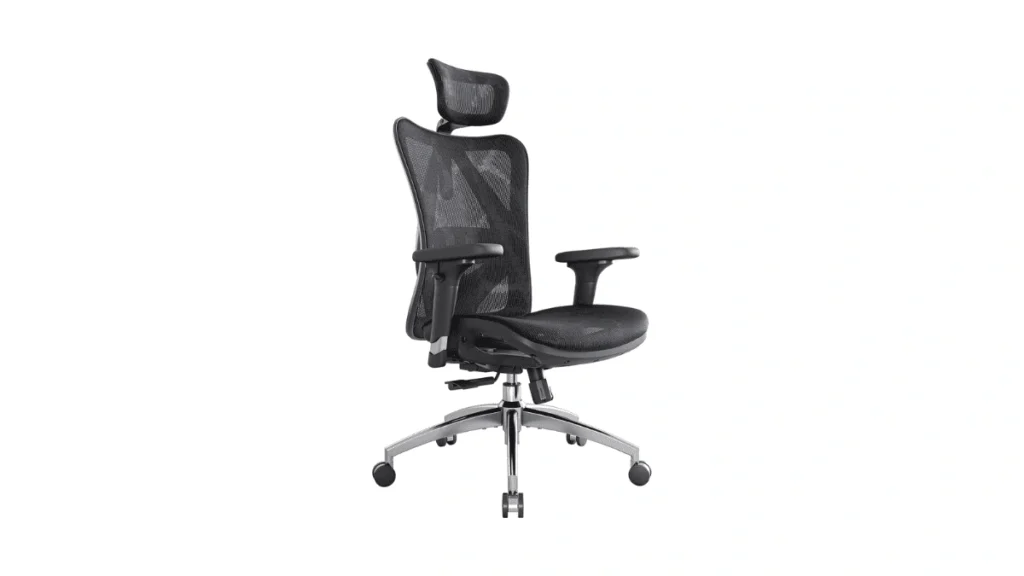
This chair is popular for a reason. It offers features usually seen in higher-priced models.
Why it works:
- Adjustable lumbar support
- Mesh back for airflow.
- Adjustable headrest
- Stable base and smooth wheels
Invite self-assessment before jumping into recommendations with this quick interactive reflection. Circle your number, then note one body area that aches most. After you’ve circled your number, take a moment for a 30-second stretch, focusing on your neck and shoulders.
This simple stretch can help you reset your posture and prepare for the next section. Rate today’s sitting hours from 1-10: 1-3: Minimal sitting, mostly active 4-6: Moderate sitting with regular breaks 7-10: Long periods without breaks.
Rate today’s sitting hours from 1-10:
1-3: Minimal sitting, mostly active
4-6: Moderate sitting with regular breaks
7-10: Long periods without breaks
This simple self-diagnosis will help you map your habits to the following chair profiles and engage more personally with the advice.
Best for:
- People working long hours daily who want structure, not softness
- Medium to tall users
Limitations:
- The seat cushion is firm.
- Armrest adjustment is basic.
Check the current price and availability on Amazon.
Hbada Ergonomic Desk Chair
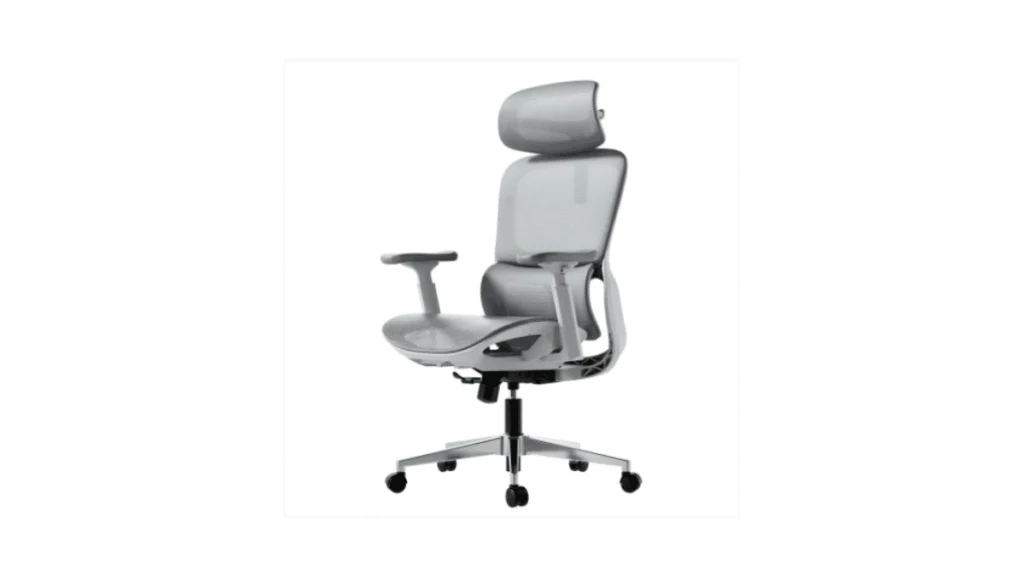
This chair focuses on simplicity. It fits small spaces and lighter users well.
Why it works:
- Clean design
- Comfortable seat depth
- Easy setup
- Quiet rolling wheels
Best for:
- Short to average height users
- Home offices with limited space
- Light to moderate use
Limitations:
- No headrest
- Limited lumbar adjustment
View product details on Amazon.
Nouhaus Ergo3D Ergonomic Chair
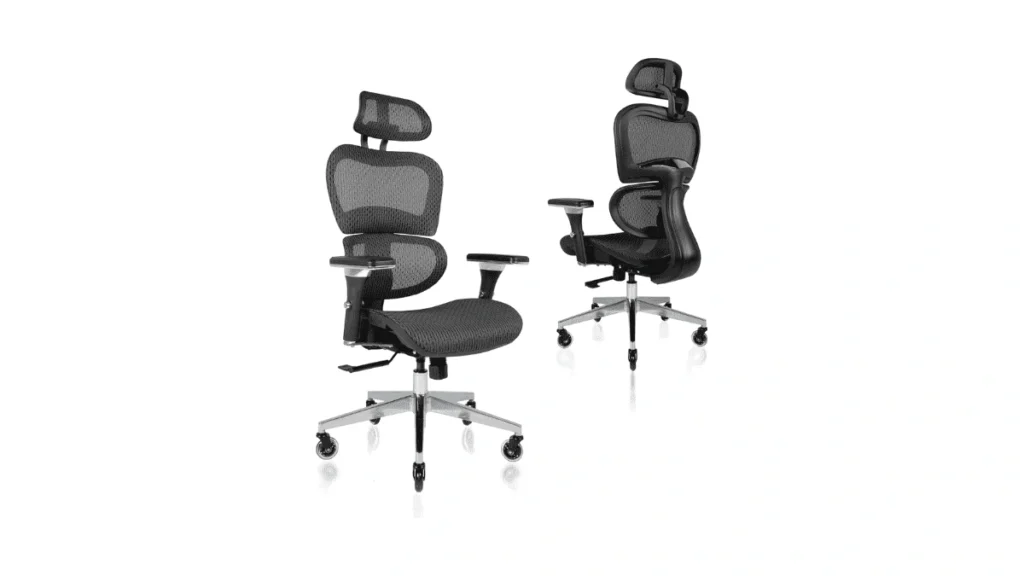
This chair achieves a notable balance between comfort and functionality by providing a wider range of adjustable features compared to most other chairs within the sub-$300 price category.
In particular, its adjustable armrests, mesh seat and back, and flexible back movement collectively distinguish it from competitors that often lack this level of customization.
Why it works:
- Adjustable armrests
- Mesh seat and back
- Good weight support
- Flexible back movement
Best for:
- Long desk sessions
- Users who enjoy adjusting settings
- Mixed work and gaming use
Limitations:
- Assembly takes time
- The mesh seat feels firm at first.
See user reviews and price on Amazon.
Amazon Basics High-Back Executive Chair
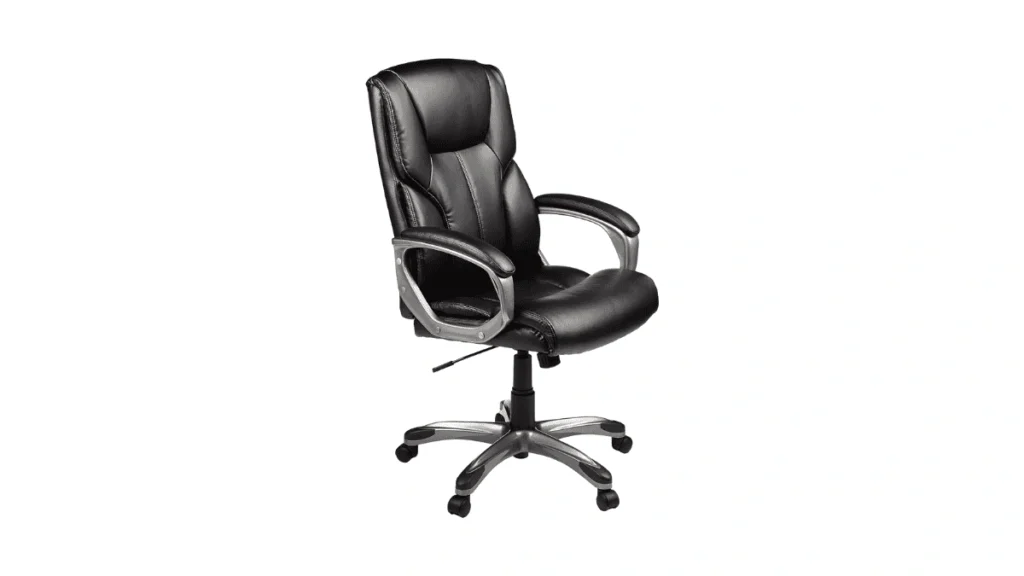
This chair offers a different feel. Instead of mesh, it uses padded leather-style upholstery.
Why it works:
- Wide seat
- Soft cushioning
- High back support
Best for:
- People who like padded seating
- Short breaks between sitting
- Office-style setups
Limitations:
- Less breathable
- Not ideal for hot rooms
Choosing the Right Chair Based on Your Body Type
Not all bodies fit the same chair. This section matches chairs to body shape and size.
For Tall and Big Users
Tall users commonly struggle with short backrests and shallow seats. Ideally, a seat should support the user’s thighs completely without cutting into the back of the knees. To help visualize and measure your torso length, try a simple sit-against-the-wall test.
Stand with your back against a wall and slide down as if you are sitting until your knees are at a comfortable angle. Measure from the wall to your seat, and look for chairs with a backrest of at least 30 inches high that can provide adequate support.
Likewise, a seat depth of 19-22 inches generally accommodates longer legs more comfortably.
For an easy two-step self-measurement checklist, start by extending your arm from your body and ensure the arm’s length aligns with the backrest height. Second, while seated, gauge the seat depth to confirm it touches the midpoint of your thigh without pressure at the knee.
This quick guide aids in selecting a chair that fits your dimensions perfectly.
High backrest
Seat depth support
Weight capacity above 275 lbs
Chairs with adjustable lumbar height help tall users avoid slouching.:
- High backrest
- Seat depth support
- Weight capacity above 275 lbs
Chairs with adjustable lumbar height help tall users avoid slouching.
For Short or Petite Users
Short users face a different problem. Seats feel too deep. Feet may not touch the floor.
Look for:
- Adjustable seat height
- Narrower seat width
- Lower lumbar support position
A chair that fits your body reduces pressure.
If You Sit With Pain or Discomfort
Pain changes everything. A chair must work with the body, not against it (Try a lumbar roll now to alleviate immediate discomfort.).
Lower Back Pain and Sciatica
Chairs with lumbar support help reduce pressure on the lower spine. Mesh backs work well because they support without pushing too hard. To find immediate relief, try adjusting the lumbar tension on your chair slightly, tightening it until you feel just enough support without discomfort.
Experimenting with this setting could be the key to locating your ideal sitting comfort.
Avoid chairs that force your spine forward.
Hip and Tailbone Pain
Seat cushion matters here. Too soft causes sinking. Too complex causes discomfort.
Look for:
- Medium firmness
- Waterfall seat edge
- Even weight distribution
Scoliosis Support
If you have experience with scoliosis and using office chairs, your views could be extremely valuable to other readers encountering similar challenges.
Please share your experiences, tips, or recommendations in the comments. Your response can help build a community of knowledge and support.
Mesh vs Leather vs Fabric Chairs
Each material feels different. No option fits all.
Mesh chairs:
- Breathable
- Good for long hours
- Firm support
Leather or faux leather chairs:
- Soft feel
- Warm in hot rooms
- Less airflow
Fabric chairs:
- Balanced feel
- Moderate airflow
- Harder to clean
For extended periods of sitting, mesh chairs are frequently favored due to their superior breathability and firm support; however, this advantage may come at the expense of plushness and warmth provided by leather or fabric alternatives.
Think of it like this: on a scorching summer day, the breathability of a mesh chair can feel refreshingly cool and airy. In contrast, during the chill of winter, the plush warmth of a leather chair may be more comforting and cozy.
Ultimately, individual comfort preferences and priorities regarding airflow, padding, and maintenance should guide material selection.
Small Things That Make a Big Difference
Many people blame the chair when the problem is actually around it.
Helpful extras:
- A chair mat or rug to protect floors
- Rollerblade wheels for smooth movement
- Proper desk height
These small changes reduce strain and extend the chair’s lifespan.
Are Gaming Chairs Good for Office Work?
Gaming chairs look exciting. Bright colors. Racing style shape.
The truth:
- They focus on looks
- Lumbar pillows shift often.
- Seat edges push legs upward.
Some people like them. Many office workers switch back after months. For long hours, ergonomic office chairs work better.
How Long Do Office Chairs Last?
A chair under $300 usually lasts:
- 2–5 years with daily use
- Longer with proper care
What affects lifespan:
- User weight
- Sitting habits
- Wheel quality
- Adjustment usage
Replacing wheels and cleaning mesh helps extend lifespan.
Where to Try or Buy Office Chairs
Trying a chair before buying helps, but not everyone can.
Places to try:
- Office supply stores
- Furniture showrooms
- Local used furniture shops
Online buying works if the return policy is clear. Always check the weight limit and seat height.
FAQs
How much do office chairs cost?
Prices range from $100 to $ 1,500, depending on the brand and build.
Where to find cheap office chairs
Online stores, warehouse sales, and office liquidations help.
Why are office chairs so expensive?
Materials, design, and long-term support add cost.
Final Thoughts
A well-chosen office chair under $300 can provide adequate support for extended periods of sitting. Prioritizing fit, ergonomic support, and adjustability over superficial design features is essential for long-term comfort.
To further ensure your selection meets your individual needs, consider consulting ergonomic resources or using a fit checklist from a reputable workplace health organization.
Engaging with user reviews and testing different models may help refine your decision and promote sustained well-being. Picture yourself standing up after eight hours, pain-free and energized. This vision of comfort and health is possible with the right choice.
Comfort builds over time. Pain builds faster.
Before you go, take a moment to commit to improving your posture by measuring your current chair’s seat height and adjusting it for optimal comfort. This small step can have a significant impact on your daily sitting routine.
If this guide helped, share it or leave a comment with your experience. Your input helps others choose better.
Sources & References
The recommendations and analyses in this article are grounded in general ergonomic principles and workplace health guidance issued by organizations such as OSHA, NIOSH, and the Mayo Clinic. These sources inform the discussion of chair selection criteria, the importance of proper lumbar support, and strategies to mitigate the health risks associated with prolonged sitting, as highlighted throughout the article.
- • Occupational Safety and Health Administration (OSHA) – Computer Workstation Ergonomics (https://www.osha.gov/ergonomics )
- • National Institute for Occupational Safety and Health (NIOSH) – Ergonomics and Seating (https://www.cdc.gov/niosh/topics/ergonomics )
- • Mayo Clinic – Sitting posture and back health (https://www.mayoclinic.org/healthy-lifestyle/adult-health/in-depth/posture/art-20045281 )
