
Sitting for hours affects the body, even if you do not notice it at first. By the end of the day, you might feel stiffness in your lower back, tight hips, or tired legs. Long sitting puts pressure on the spine and slows blood flow. Over time, this reduces comfort and focus.
Many people who work or study at home for long hours now consider standing desks. These desks let you change position during the day. You can sit, stand, or move as needed.
The main question is simple:
Is it possible to find a stable, safe, and practical standing desk for under $400?
The short answer is yes.
The longer answer depends on your needs, work habits, and which features matter most.
This guide explains how standing desks work, what to expect under $400, and which features matter for comfort and safety. The goal is to help you avoid common mistakes and choose a desk that supports long work hours without overspending.
If you work at a desk most days, the right desk matters more than most people expect.
Why Sitting All Day Causes Problems
The body is not built to sit still for long periods. When you sit for hours, the spine compresses. The lower back takes most of the load. Hip flexors tighten. Blood flow slows in the legs. Office workers now sit for about 9 hours a day, which makes it important to address long sitting habits.
Over time, this can lead to:
- Lower back discomfort
- Neck and shoulder tension
- Stiff hips
- Decreased circulation
- Fatigue and loss of focus
Health organizations say posture and movement are important for long-term comfort at your desk. The problem is not sitting itself, but sitting too long without breaks.
A standing desk does not fix posture by itself. It lets you move more. Changing positions helps reduce pressure and muscle strain.
What a Standing Desk Is and How It Works
A standing desk, sometimes called a sit-stand or height-adjustable desk, lets you raise or lower the desktop. Some models use an electric motor, while others use a manual crank.
Most desks under $400 fall into these categories:
- Electric standing desk with a single motor
- Manual crank standing desk
- Electric models are now common in this price range. They use a motor to lift the desk frame. You adjust the height with a control panel. Some include memory presets.
The key parts of a standing desk include:
- Frame and legs
- Lifting mechanism or motor
- Desktop surface
- Control panel
- Power supply. Each part affects the desk’s stability, noise, and how long it will last.
What You Can Expect From a Standing Desk Under $400
It helps to be realistic. Desks under $400 are not commercial grade and do not have heavy steel frames. Still, many meet basic quality standards and offer enough support for daily use.
That said, many budget standing desks are perfectly suitable for home use.
What you usually get
- Electric height adjustment with a single motor
- Height range suitable for most adults
- Basic memory keypad or simple up and down buttons
- Weight capacity between 150 and 200 pounds
- The desktop is made from laminated particle board or MDF.
- Assembly-required design
What you usually do not get
- Dual motor systems
- Thick hardwood desktops
- Ultra-quiet motors
- Heavy-duty frames rated for extreme loads
- Long commercial warranties
Budget desks can work well when expectations match what you get.
For home office tasks like writing, typing, coding, studying, or light creative work, many desks under $400 are suitable.
Features That Matter More Than Price
Price alone does not decide if a standing desk will work for you. Some budget desks fail because of poor design. Others last for years because the basics are solid.
Key Features: Why They Matter
Height Range and User Fit
Height range affects comfort more than almost anything else.
A good standing desk should go low enough for sitting and high enough for standing. You should not have to hunch or raise your shoulders.
Most adults need:
- Sitting height around 24 to 30 inches
- Standing height around 38 to 48 inches
Short users should check the minimum height. Tall users should check the maximum. If the desk does not fit your height, it will not feel comfortable for long use.
Stability and Wobble
Wobble is a common complaint with cheap desks.
Stability depends on:
- Frame thickness
- Leg design
- Crossbar support
- Weight distribution
At standing height, some desks shake when typing or leaning. Mild movement is normal. Too much wobble is not.
Look for desks with solid steel legs and wide feet. Crossbars help stability but reduce leg space. Some newer designs improve stability without crossbars.
Weight Capacity
Weight capacity affects safety and motor life.
Consider what you place on the desk:
- Monitor
- Laptop
- Desktop PC
- Speakers
- Books
- Accessories
A desk rated for 150 pounds may struggle with dual monitors and a heavy PC. A higher rating gives more margin and reduces motor strain.
Motor and Controls
Most desks under $400 use a single motor.
Single motors work fine for moderate loads. They are slower than dual motors but still usable for daily adjustments.
Control panels vary:
- Basic up and down buttons
- Memory presets
- Child lock or safety lock
Memory buttons are convenient but not required. Noise matters if you work in a shared space.
Desktop Size and Material
Desktop size affects workflow.
Small desks save space but limit monitor placement. Large desks offer more room but need more floor space.
Most budget desktops use laminated wood. This is common. Look for smooth edges and a decent surface finish.
Health Benefits and Limits of Standing Desks
Standing desks help with movement, not magic. Alternating between sitting and standing can reduce discomfort. Prolonged standing can cause other issues, so balance matters. Switch positions every 30 to 60 minutes. Keep monitors at eye level and use the right keyboard height. Supportive shoes or an anti-fatigue mat help. A standing desk works best as part of a complete ergonomic setup.
Best Standing Desks Under $400 (2026)
The desks listed below are often available in this price range and meet most home office needs. Prices and availability can change, so be sure to check current listings.
FlexiSpot Electric Standing Desk (Entry Models)
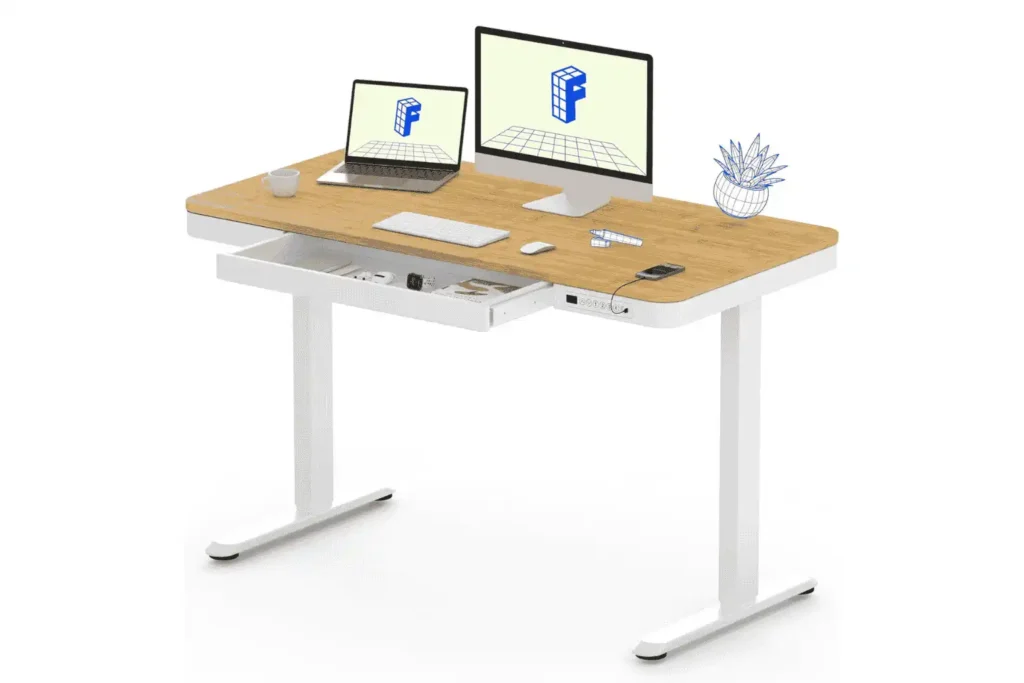
FlexiSpot is a well-known brand for standing desks, and their entry-level models are usually priced under $400.
Why it works:
- Electric height adjustment
- Simple control panel
- Good height range for most users
- Easy assembly
Best for:
- Home office workers
- Writing, typing, and studying work
- Single monitor setups
Limitations:
- Single motor
- Desktop material is basic.
- Not ideal for very heavy setups
This type of desk is a good choice if you want reliable height adjustment and do not need extra features.
SHW Electric Height Adjustable Desk
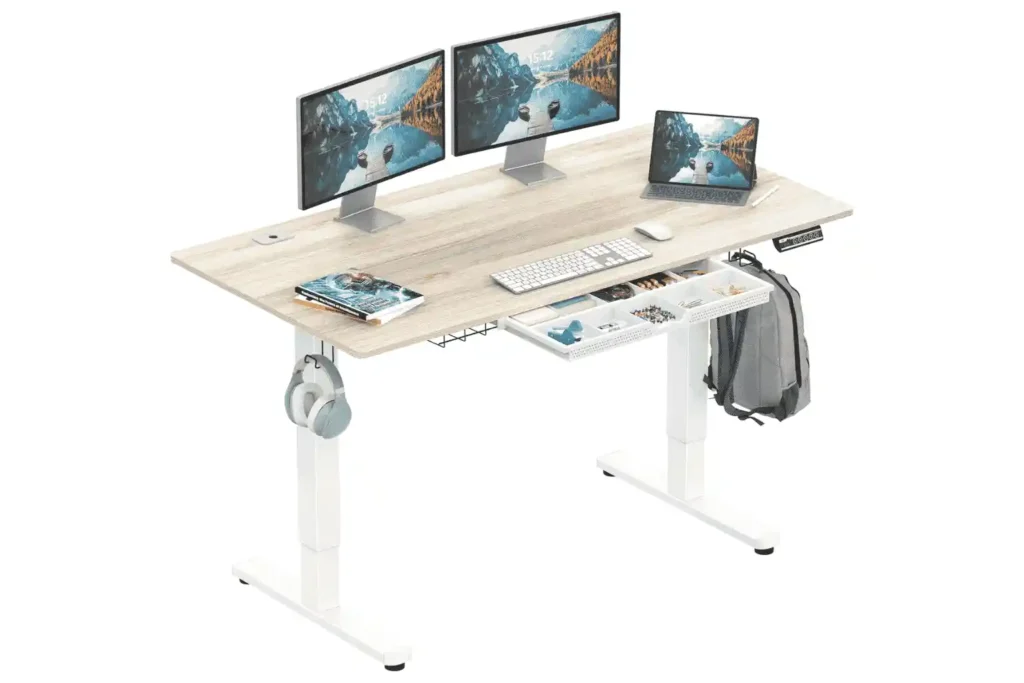
SHW makes affordable electric desks that focus on simplicity.
Why it works:
- Competitive price
- Stable frame for light to medium use
- Compact size options
- Straightforward controls
Best for:
- Small rooms
- Apartments
- Students or remote workers with limited space
Limitations:
- Limited desktop depth on some models
- Basic keypad
- Lower weight capacity compared to larger desks
This desk works well for laptops or single-monitor setups.
FEZIBO Electric Standing Desk
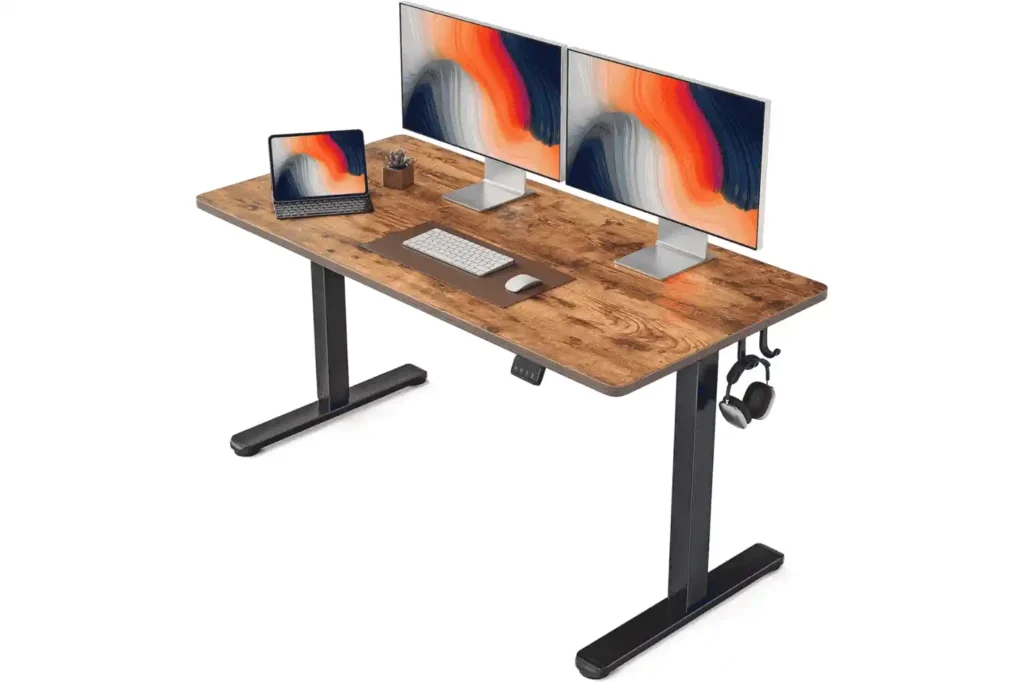
FEZIBO desks often come with extra features but still cost less than $400.
Why it works:
- Electric lift with memory presets
- Anti-collision system on some models
- Decent weight capacity
- Multiple size options
Best for:
- Long work hours
- Users who switch positions often
- Dual monitor setups within weight limits
Limitations:
- Assembly takes time
- Motor noise varies by model.
This option is good for people who want more control but do not want to spend more.
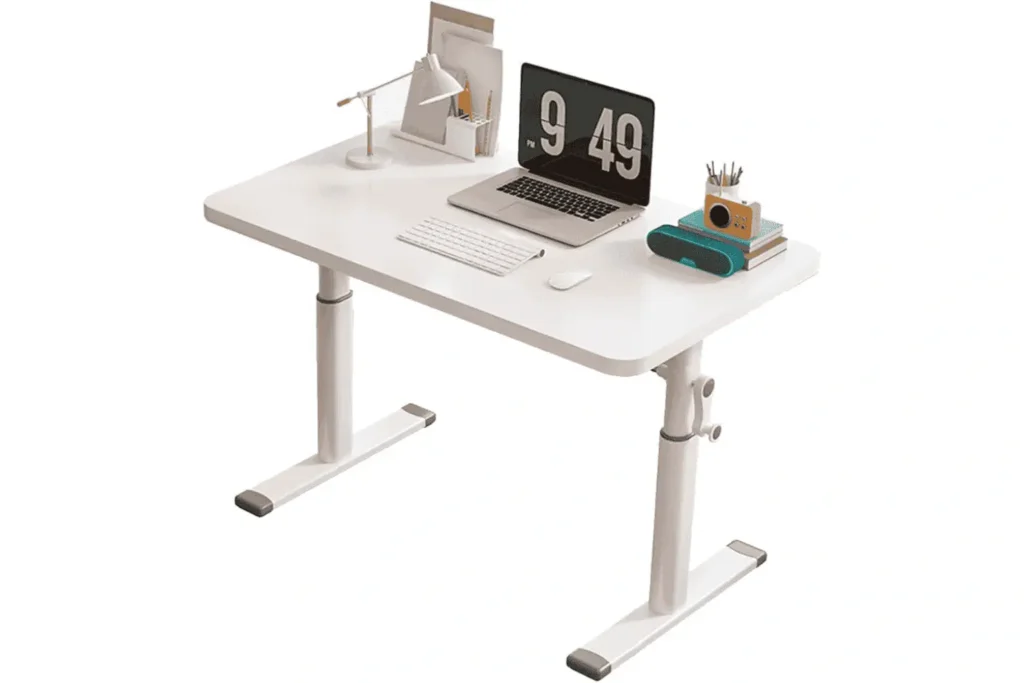
Manual Crank Standing Desks
Manual desks don’t use motors or electronics.
Why they work:
- Lower price
- No motor failure risk
- Quiet operation
- Simple design
Best for:
- Users who adjust height once or twice a day
- Budget-focused buyers
- Minimal setups
Limitations:
- Slower adjustment
- Physical effort required
- Less convenient for frequent changes
Manual desks are best for people who value simplicity instead of convenience.
How to Choose the Right Standing Desk.
Everyone works differently. The right desk depends on your needs and how you use it.
For Long Work Hours
Look for:
- Stable frame
- Comfortable height range
- Enough desktop space
- Smooth adjustment. Changing positions often helps reduce fatigue.
For Back Discomfort
Look for:
- Proper height alignment
- Smooth transitions
- Room for ergonomic setup. A desk alone will not fix pain. Monitor height and keyboard placement matter too.
For Small Spaces
Look for:
- Narrow desktops
- Compact frames
- Wall placement. Be sure to measure your room before buying.
For Dual Monitor Setups
Look for:
- Higher weight capacity
- Wider desktop. Monitor arms make your setup more flexible, but they add extra weight.
Standing Desk vs Desk Converter
Some people prefer desk converters to full desks.
Desk Converters
Pros:
- Lower cost
- No full desk replacement
- Easy installation
Cons:
- Limited stability
- Smaller surface area
- Less ergonomic flexibility
Full Standing Desks
Pros:
- Better stability
- Full workspace control
- Cleaner setup
Cons:
- Higher cost
- If you plan to use your desk every day for long periods, a full standing desk will be more comfortable.
Common Mistakes Buyers Make
Many problems come from minor oversights.
- Buying without checking the height range
- Ignoring weight limits
- Overloading the desk
- Skipping ergonomic setup
- Avoiding these mistakes will help you stay comfortable and make your desk last longer.
Do Standing Desks Help With Back Pain
Standing desks help some people. They do not help everyone.
Health guidance suggests movement matters more than posture alone. Alternating between sitting and standing reduces discomfort. If pain continues, changing your desk might not be enough. The quality of your chair, screen height, and taking breaks to move are all important. If you are not sure what is causing your pain, talk to a healthcare professional. Do not rely on furniture alone to solve medical problems.
Accessories That Improve Comfort
Accessories can improve comfort at a standing desk.
- An anti-fatigue mat reduces leg strain.
- Monitor arm improves screen height.
- Cable tray reduces clutter.
- A footrest supports posture while sitting.
These additions often cost less than replacing a desk.
How Long Do Standing Desks Last
A standing desk under $400 usually lasts:
- 3 to 6 years with regular home use
Factors that affect lifespan include:
- Weight load
- Frequency of adjustment
- Motor quality
- Assembly quality
Using the desk within its limits helps it last longer.
Where to Buy Standing Desks
Most people buy online.
- Amazon offers a wide selection and returns.
- Manufacturer websites provide direct support.
- Office supply stores allow in-person viewing.
Always check return policies before buying. As a small step, set a timer for your next posture change. Try intervals between 30 and 60 minutes. This simple action helps maintain movement and comfort during the day.
Final Thoughts
A standing desk under $400 can support daily work if chosen carefully. The key is fit, stability, and realistic expectations. Do not chase features you will not use. Focus on comfort, movement, and safety.
Standing desks work best with good habits. Change position often. Adjust your screen and keyboard. Listen to your body.
If this guide helped you, share it with someone who works long hours. Leave a comment with your experience. Your comments help others make better choices.
Transparency note: We’ve blended respected ergonomic research with our own hands-on product testing and user-focused analysis. Some product links may earn us a small commission, but every recommendation is based on what’s actually suitable, not on advertising or sponsorship.
Sources & References
We want our advice to be grounded in real science and trustworthy sources. For this article, we drew from research and workplace health guidelines provided by highly respected organizations. Here’s where our information comes from:
Occupational Safety and Health Administration (OSHA) Covers ergonomic workstations and explains how long periods of sitting can affect posture, muscle strain, and circulation. https://www.osha.gov/ergonomics
National Institute for Occupational Safety and Health (NIOSH) Provides guidance on ergonomics and musculoskeletal health for both sitting and standing desk setups. https://www.cdc.gov/niosh/topics/ergonomics
Mayo Clinic Offers advice on sitting posture, back health, and how extended sitting impacts your comfort and circulation. https://www.mayoclinic.org/healthy-lifestyle/adult-health/in-depth/posture/art-20045281
Mayo Clinic Press Discusses the health risks of too much sitting and why it’s important to move and change posture throughout your day. https://mcpress.mayoclinic.org/living-well/what-happens-when-you-sit-too-much-and-what-to-do-about-it/
Harvard Health Publishing Shares evidence-based insights on standing desks, movement, and tips for staying comfortable at work. https://www.health.harvard.edu/blog/the-truth-behind-standing-desks-2016092310264
Canadian Centre for Occupational Health and Safety (CCOHS) Explains the risks of sitting too long and offers practical advice for switching up your posture at work. https://www.ccohs.ca/oshanswers/ergonomics/sitting/sitting_overview.html
